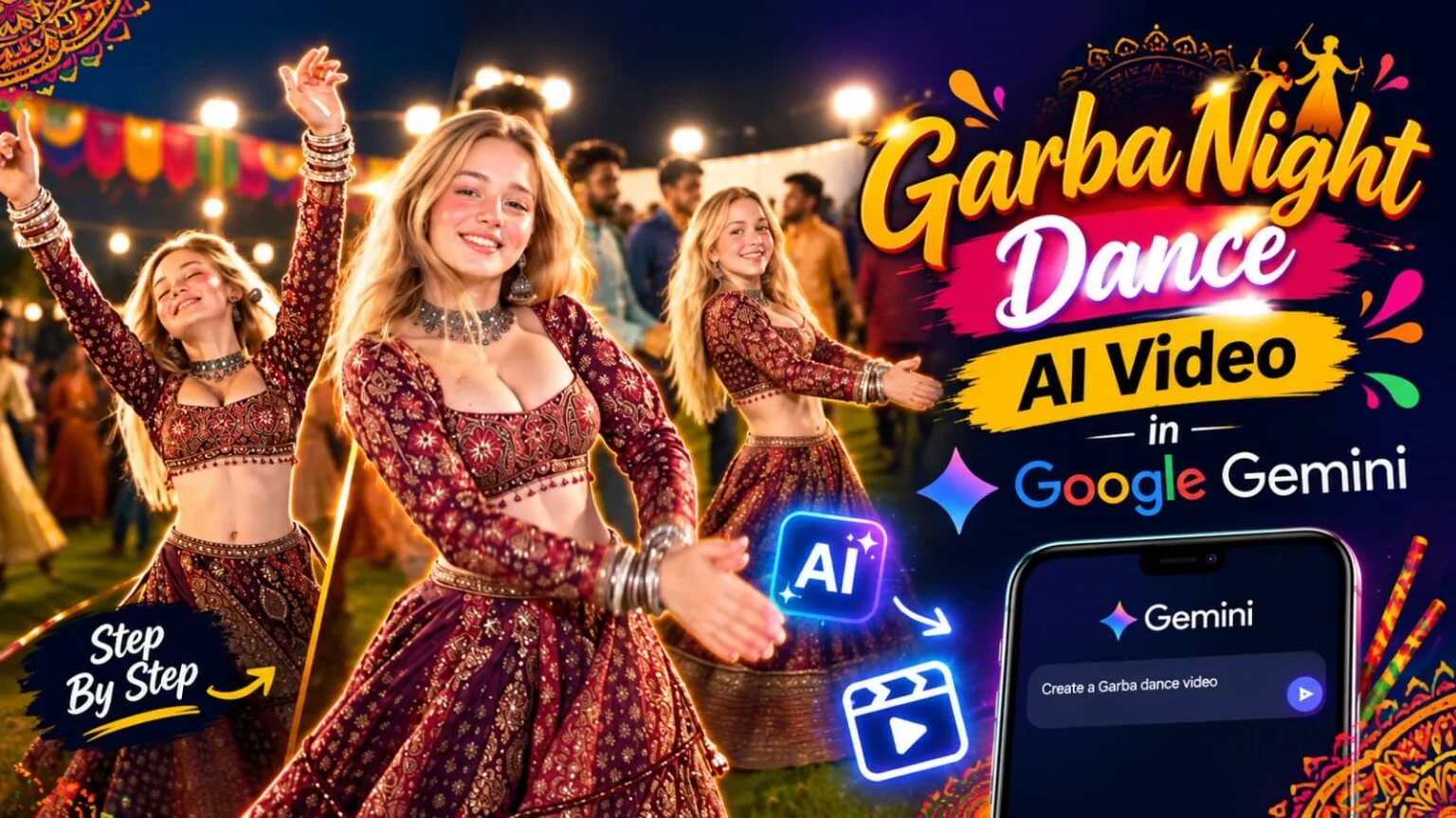
If you have been scrolling through Instagram recently, you might have come across those viral Garba Night reels featuring a girl in a beautiful maroon lehenga, dancing as she twirls amidst a large crowd.
The lighting, the crowd, the swirling lehenga, and the joyful expressions on her face look so authentic that many believe it was filmed at an actual Navratri event.
However, the truth is that this entire video was created using AI—and you, too, can produce something similar in just a few minutes with the help of Google Gemini.
In this article, I will show you the exact step-by-step process to make this Garba dance AI video, and I will also share the prompt.
Is video ko banane ke liye aapko bahut zyada kuch nahi chahiye.
- Google Gemini app ya website (gemini.google.com)
- Ek reference photo (agar aap apni photo ya kisi character ki photo use karna chahte ho)
- Neeche diya gaya prompt
- 5 se 10 minute ka time
Agar aapke paas Gemini ka video generation access hai to direct video ban jayegi.
Agar nahi hai to pehle image bana sakte ho aur phir usse animate kar sakte ho.
Garba Dance AI Video Prompt for Google Gemini
Garba Dance AI Video Prompt for Google Gemini
How to Make Garba Dance AI Video in Google Gemini (Step by Step)
Step 1: Open Google Gemini
Sabse pehle apne phone ya laptop me Google Gemini open karo.
Same Google account se login rehna zaroori hai.
Step 2: Select the Video Option
Gemini ke chat box me tools ya “+” option par click karo.
Wahan se video generation wala option select karo.
Agar ye option nahi dikh raha, to app update karke dobara try karo.
Step 3: Upload Your Reference Photo (Optional)
Agar aap chahte ho ki video me aapka face ya aapke character ka face aaye, to ek clear photo upload karo.
Photo me face seedha aur light achhi honi chahiye.
Blur ya dark photo se result kharab aa sakta hai.
Step 4: Paste the Prompt
Upar diya gaya prompt copy karke chat box me paste kar do.
Prompt me kuch change karna ho, jaise lehenga ka colour ya background, to wo bhi edit kar sakte ho.
Step 5: Choose Vertical Format
Video ka aspect ratio 9:16 select karna mat bhoolna.
Instagram Reels aur YouTube Shorts ke liye yahi size chahiye hota hai.
Step 6: Generate and Wait
Ab generate button par click karo.
Video banne me thoda time lag sakta hai, to patience rakho.
Ready hone ke baad preview dekho aur agar pasand na aaye to dobara generate karo.
Step 7: Download and Edit
Video download karne ke baad CapCut ya VN me open karo.
Wahan trending Garba song laga do, thoda color grading karo aur reel ready hai.
Frequently Asked Questions (FAQs)
Can I make this Garba dance video for free in Google Gemini?
Haan, Gemini me limited free access milta hai.
Video generation ki limit aapke account aur country ke hisaab se alag ho sakti hai.
Agar free limit khatam ho jaye to agle din dobara try kar sakte ho.
Which outfit works best for a Garba night AI video?
Traditional chaniya choli ya lehenga sabse best rehta hai.
Maroon, red, orange aur rani pink jaise rang Garba night me bahut achhe dikhte hain.
Heavy embroidery aur mirror work wale design video me aur bhi rich look dete hain.
How do I make the lehenga spin look natural?
Prompt me “slow twirl” aur “flowing lehenga” jaise words likho.
Saath me “slow motion” bhi add kar do.
Isse lehenga ka flare smooth aur natural dikhta hai.
Can I use my own photo in this Garba video?
Haan, bilkul.
Bas ek clear front-facing photo upload karo aur prompt me likho ki face reference photo se match hona chahiye.
Which song should I use for this Garba reel?
Koi bhi trending Garba ya Navratri song use kar sakte ho.
Song ka beat video ke dance movement se match ho to reel aur zyada viral hoti hai.
Why does my Garba video not look like a real event?
Aksar iska reason ye hota hai ki prompt me lighting aur crowd ka detail missing hota hai.
Prompt me night sky, flood lights aur background crowd zaroor mention karo.
What is the best video length for a Garba Instagram reel?
8 se 15 second ka reel best perform karta hai.
Chhoti video me loop hone ke chance zyada hote hain, jisse views badhte hain.
Final Words
To ye tha Google Gemini me Garba night dance AI video banane ka poora tarika.
Prompt paste karo, settings sahi rakho aur kuch hi minutes me aapki viral reel ready ho jayegi.
Agar aapne ye video banayi to Instagram par tag karna mat bhoolna, hume aapka version dekhna achha lagega.
Aise hi latest AI photo and video prompts, CapCut templates aur viral trends sabse pehle paane ke liye hamare Telegram channel ko abhi join karo.
Naye prompts roz upload hote hain, aur sab kuch free hai.
Garba Dance AI Video Prompt for Google Gemini
How to Make Garba Dance AI Video in Google Gemini (Step by Step)
Step 1: Open Google Gemini
Sabse pehle apne phone ya laptop me Google Gemini open karo.
Same Google account se login rehna zaroori hai.
Step 2: Select the Video Option
Gemini ke chat box me tools ya “+” option par click karo.
Wahan se video generation wala option select karo.
Agar ye option nahi dikh raha, to app update karke dobara try karo.
Step 3: Upload Your Reference Photo (Optional)
Agar aap chahte ho ki video me aapka face ya aapke character ka face aaye, to ek clear photo upload karo.
Photo me face seedha aur light achhi honi chahiye.
Blur ya dark photo se result kharab aa sakta hai.
Step 4: Paste the Prompt
Upar diya gaya prompt copy karke chat box me paste kar do.
Prompt me kuch change karna ho, jaise lehenga ka colour ya background, to wo bhi edit kar sakte ho.
Step 5: Choose Vertical Format
Video ka aspect ratio 9:16 select karna mat bhoolna.
Instagram Reels aur YouTube Shorts ke liye yahi size chahiye hota hai.
Step 6: Generate and Wait
Ab generate button par click karo.
Video banne me thoda time lag sakta hai, to patience rakho.
Ready hone ke baad preview dekho aur agar pasand na aaye to dobara generate karo.
Step 7: Download and Edit
Video download karne ke baad CapCut ya VN me open karo.
Wahan trending Garba song laga do, thoda color grading karo aur reel ready hai.
Frequently Asked Questions (FAQs)
Can I make this Garba dance video for free in Google Gemini?
Haan, Gemini me limited free access milta hai.
Video generation ki limit aapke account aur country ke hisaab se alag ho sakti hai.
Agar free limit khatam ho jaye to agle din dobara try kar sakte ho.
Which outfit works best for a Garba night AI video?
Traditional chaniya choli ya lehenga sabse best rehta hai.
Maroon, red, orange aur rani pink jaise rang Garba night me bahut achhe dikhte hain.
Heavy embroidery aur mirror work wale design video me aur bhi rich look dete hain.
How do I make the lehenga spin look natural?
Prompt me “slow twirl” aur “flowing lehenga” jaise words likho.
Saath me “slow motion” bhi add kar do.
Isse lehenga ka flare smooth aur natural dikhta hai.
Can I use my own photo in this Garba video?
Haan, bilkul.
Bas ek clear front-facing photo upload karo aur prompt me likho ki face reference photo se match hona chahiye.
Which song should I use for this Garba reel?
Koi bhi trending Garba ya Navratri song use kar sakte ho.
Song ka beat video ke dance movement se match ho to reel aur zyada viral hoti hai.
Why does my Garba video not look like a real event?
Aksar iska reason ye hota hai ki prompt me lighting aur crowd ka detail missing hota hai.
Prompt me night sky, flood lights aur background crowd zaroor mention karo.
What is the best video length for a Garba Instagram reel?
8 se 15 second ka reel best perform karta hai.
Chhoti video me loop hone ke chance zyada hote hain, jisse views badhte hain.
Final Words
To ye tha Google Gemini me Garba night dance AI video banane ka poora tarika.
Prompt paste karo, settings sahi rakho aur kuch hi minutes me aapki viral reel ready ho jayegi.
Agar aapne ye video banayi to Instagram par tag karna mat bhoolna, hume aapka version dekhna achha lagega.
Aise hi latest AI photo and video prompts, CapCut templates aur viral trends sabse pehle paane ke liye hamare Telegram channel ko abhi join karo.
Naye prompts roz upload hote hain, aur sab kuch free hai.